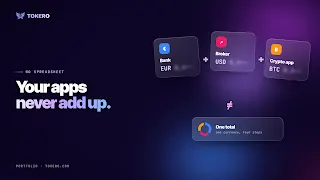
Your bank, broker and crypto app never add up
By Octavia Mateescu
You’ve probably tried this at least once: a spreadsheet, a free evening, and a plan to finally work out what you own. An hour later you’re three logins deep, exporting a CSV your bank formats differently from your broker, and you give up.
The problem isn’t you. Bank exports, broker statements and exchange reports are each built to describe one account. None of them were made to sit next to the others.
Victor, a reader we’ve made up for this, did exactly that twice. The third time he skipped the statements altogether. Here’s what he did instead, in four steps.
1. Write down what you remember
No logins, no exports. Just what you know off the top of your head. For Victor that was his crypto, a current account, a savings account, an ETF account, and two gold coins he’d been given as a present. Round numbers are fine. You’re after the shape, not the decimals.
It helps to go through it category by category in your head: what’s in the bank, what’s invested, what’s in crypto, and anything physical, like gold. You’ll forget something. That’s fine; add it when you remember.
2. Get it into one currency
This is the step the spreadsheet always dies on. His crypto app shows dollars, his bank shows euros, and the coins don’t show anything at all. Until it’s all in one currency, the numbers can’t be compared. The tracker he used handled that: traded assets at market prices, the gold from its weight.
Don’t worry about precision here. A rough conversion of a round number is still far more useful than three exact numbers you can’t compare.
The Portfolio page on TOKERO
3. Look at the shape
Everything became one chart, largest holdings first. It wasn’t what he’d have guessed. There was more cash than he thought and less crypto. That’s the usual result, and honestly it’s the whole point. The version in your head and the real one rarely match.
Give it a day before reacting. The first instinct is to start fixing things straight away. Better to sit with the picture and ask whether it matches what you actually want, rather than what you’d assumed you had.

An example portfolio on TOKERO: every holding in one currency, largest first
4. Decide what other people see
If you talk about money with friends or online, you can share the percentages and keep the amounts to yourself. One setting controls whether visitors, and any snapshot you post, see amounts.
Plenty of people like talking about how they invest, and it’s much easier to do honestly when you’re not also publishing your balance.
The tracker was the Portfolio tool on TOKERO, a social network about money. It covers eight categories, from crypto and cash to real estate, bonds, commodities, metals and private investments. It keeps a record and nothing else: no trading, no transfers, no advice. The free plan covers up to 20 assets across crypto, cash and stocks/ETFs; paid plans raise that and add categories, and metals like Victor’s coins are on the higher plans. It’s not a get-rich plan.
The whole thing took Victor about twenty minutes, less than he’d spent on his first spreadsheet before giving up. The difference was starting from memory instead of statements, and letting the tracker do the currency work.
Four steps, no statements. Try the Portfolio or just start with step one on paper.
Octavia Mateescu is a software developer at TOKERO, where she builds the tools creators use to publish and share their work across networks.
Summary for the listing: Four steps instead of a spreadsheet: list what you remember, convert to one currency, read the shape, decide what to share. No statements needed.
Disclaimer: This is a sponsored press release for informational purposes only. It does not reflect the views of Times Tabloid, nor is it intended for legal, tax, investment, or financial advice. Times Tabloid is not responsible for any financial losses.
This story was originally published by Times Tabloid. Read the original article.